iCloud Spider Officially and Permanently Unlock, Bypass & Remove iCloud Activation Lock on your iPhone 11 Pro / 11 Pro Max, 12 / 12 Mini, 12 Pro / 12 Pro Max, 13 / 13 Mini, 13 Pro / 13 Pro Max, 14 / 14 Plus, 14 Pro / 14 Pro Max, 11, 11 Pro, X, 8, 8 Plus, 7 Plus, 7, 6S Plus, 6S, 6, SE, 5S, 5C, 5, 4S, 4 and all iPad 4,3,2 Air, Pro and iWatch Versions.
iCloud Spider can be used to remove iCloud Lock permanently from your device without the fear of being locked again.
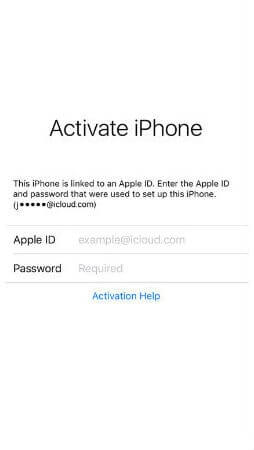
No matter who is previous owner of the iPhone, iCloud Spider will just disable "Fiand My Phone" feature from the device.

iCloud Spider use built-in proxies and private servers and data enctyption to unlock your device so you no traces are left.
You can easily update your device's iOS version without any problem after unloking it with the iCloud Spider.
With iCloud Spider you have the flexibility to unlock your device either via USB or by using your phone IMEI number.
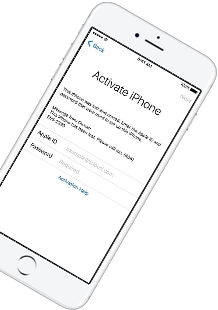
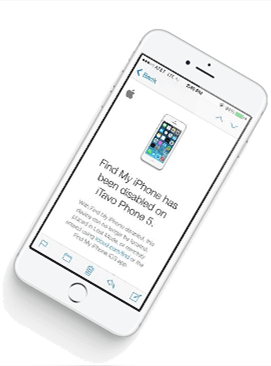
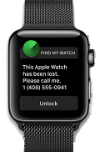
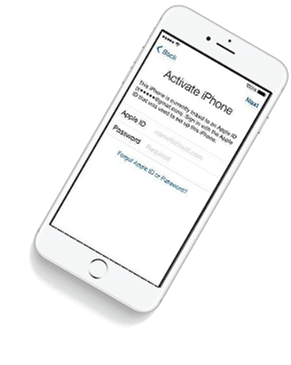
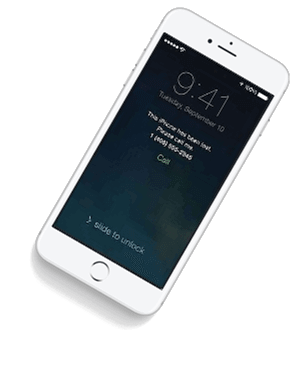

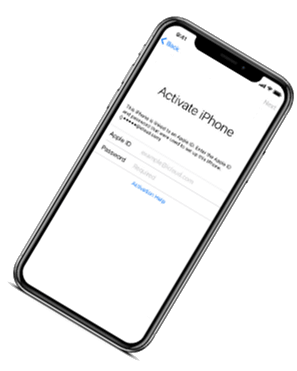

If you have forgotten your apple id or you bought a used iPhone from ebay/walmart and the original owner has enabled "Find My Phone" feature accidentally or purposely and you don't know how to contact him or unlock your device then you are on right place.
iCloud Spider will not only help you to unlock your iPhone but it will also remove any icloud activation lock (e.g. Find My Phone) from your device forever.
Unlocking iPhone made easy with iCloud Spider. You don't have to install iCloud Spider on your PC to unlock your iPhone/iPad. Read the instructions below to learn how to use our icloud unlock software.
Download & run iCloud Spider on your PC. (You can unlock just one device by IMEI in free version of iCloud Spider)
Connect your locked iphone/ipad to your pc via usb or type your phone's imei in iCloud Spider and hit the "Unlock This Device" button.
iCloud Spider will permanently unlock your locked iphone/ipad in just few minutes depending on your internet speed.
iCloud Spider is multi-devices & multi-OS supported. You can download & use IS(iCloud Spider) on Windows and MAC. iOS and Android version will be added soon.
Use iCloud Spider Web-based Tool: Click Here
Use Online FRP Lock Removal App: Click Here
See the working of our icloud unlocker tool below. It's easy to unlock any iPhone/iPad within seconds.
Unlock any iCloud locked device with the ease of our iCloud activation lock removal software at very affordable prices.
This public link is valid for 7 days and shares a thread, including any personal information you added. This link or copies made by others cannot be deleted. If you share with third parties, their policies apply. Can’t copy the link right now. Try again later.
If your phone is not booting or the wireless update fails, you can use the official desktop software to flash the latest firmware. Mobile Upgrade tool official TCL Support website
• General bug fixes and performance improvements. • Enhanced system stability for a smoother user experience. • Improved compatibility with third-party applications.
Absolutely. TCL often improves local dimming algorithms, motion smoothing, and HDR tone mapping via firmware. If you notice worse PQ after an update, do a full factory reset.
If a new version is available, follow the on-screen instructions to download and install it.
Load the ( .txt ) located in the firmware folder. Select "Firmware Upgrade".
While holding down the (or Volume Up, depending on the specific sub-variant) button, connect the phone to your PC using the USB cable.
To flash your TCL 502, you must download three essential components to your PC:
: The easiest way is to update directly on the device via Wi-Fi. Go to Settings > System . Select System Update .
Firmware TCL 502 refers to the software that controls the basic functions of your TCL 502 smartphone. It is the permanent software stored in the device's read-only memory (ROM) that manages the device's hardware components and provides a platform for running applications. Firmware TCL 502 is essentially the brain of your device, enabling it to perform various tasks, from making calls and sending texts to running apps and connecting to the internet.
Firmware on the TCL 502 is the pre-installed system software, including:
To help give you the most accurate advice, please let me know:
This is the safest and easiest way to update your phone. TCL distributes updates directly to devices.
This public link is valid for 7 days and shares a thread, including any personal information you added. This link or copies made by others cannot be deleted. If you share with third parties, their policies apply. Can’t copy the link right now. Try again later.
If your phone is not booting or the wireless update fails, you can use the official desktop software to flash the latest firmware. Mobile Upgrade tool official TCL Support website
• General bug fixes and performance improvements. • Enhanced system stability for a smoother user experience. • Improved compatibility with third-party applications.
Absolutely. TCL often improves local dimming algorithms, motion smoothing, and HDR tone mapping via firmware. If you notice worse PQ after an update, do a full factory reset.
If a new version is available, follow the on-screen instructions to download and install it.
Load the ( .txt ) located in the firmware folder. Select "Firmware Upgrade".
While holding down the (or Volume Up, depending on the specific sub-variant) button, connect the phone to your PC using the USB cable.
To flash your TCL 502, you must download three essential components to your PC:
: The easiest way is to update directly on the device via Wi-Fi. Go to Settings > System . Select System Update .
Firmware TCL 502 refers to the software that controls the basic functions of your TCL 502 smartphone. It is the permanent software stored in the device's read-only memory (ROM) that manages the device's hardware components and provides a platform for running applications. Firmware TCL 502 is essentially the brain of your device, enabling it to perform various tasks, from making calls and sending texts to running apps and connecting to the internet.
Firmware on the TCL 502 is the pre-installed system software, including:
To help give you the most accurate advice, please let me know:
This is the safest and easiest way to update your phone. TCL distributes updates directly to devices.
Our developers have now added support for iPad Pro 11.5". So download the latest version of IS to enjoy this feature...
Our developers have now added support for iPad Pro 11.5". So download the latest version of iCloud Spider... Firmware TCL 502
Good News! Android & iOS versions of the iCloud Spider are in beta testing and will be available for free to our existing customers. This public link is valid for 7 days
Here's the complete list of 25 great hidden iOS 12 features available for your iPhone, iPad and iPod touch. Can’t copy the link right now